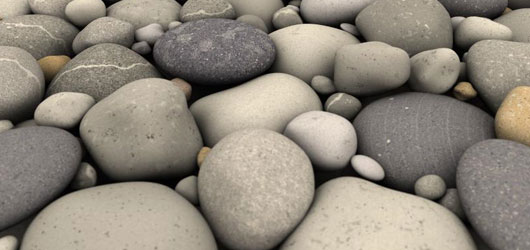
Would you believe me if I tell you that it’s an artificial graphic created with the help of a computer program, by applying millions and even billions of complex mathematical calculations? Believe me it’s pure mathematics which rules over creativity and in-born talents like ability to paint, draw or sculpt. This wonderful mathematical model is called Ray-Tracing.
What is Ray-Tracing?
Ray-tracing is a method of creating visual art in which a description of an object or scene is mathematically converted into a picture. In more specific terms, ray-tracing is the process of mathematically generating near-photorealistic images from a given description of a scene via geometrical modeling of light rays.
One of the most important factors which I believe about computer based ray-tracing over traditional art forms is that it does not require in-born talents like drawing or painting skills which in some cases requires years of hard work to master, but here it places the burden on a computer program called POV-Ray.
So, what is POV-Ray?
The Persistence of Vision Raytracer, or POV-Ray, is a high-quality, freely available ray-tracing software package that is available for Windows, Mac and UNIX platforms. Yes of course, it’s free! If you’re a programmer interested in POV-Ray, you can even pick up a copy of the source code without charge. POV-Ray is definitely one of the most commonly used ray-tracing software to date, because of its relative ease of use and powerful features.
Instead of calling it a software, POV-Ray is more of a rendering engine, which means it takes a file as an input and gives the output after rendering it without much help in the way of a user interface.
Describing scenes to POV-Ray is fairly simple. We give POV-Ray, a file containing a description of every object in the scene, written in the POV-Ray language (Click Here to see a sample piece of POV-Ray code). Each object’s description consists of:
1. What type of object you want (one of POV-Ray’s simple objects or one you’ve created yourself); and
2. Various attributes of the object (its color, how it reflects light, etc).
POV-Ray takes this file and generates a picture, which you can then view.
Some more samples
Please go through some amazing ray-traced images created with POV-Ray. Click on these images to view it’s larger version.